
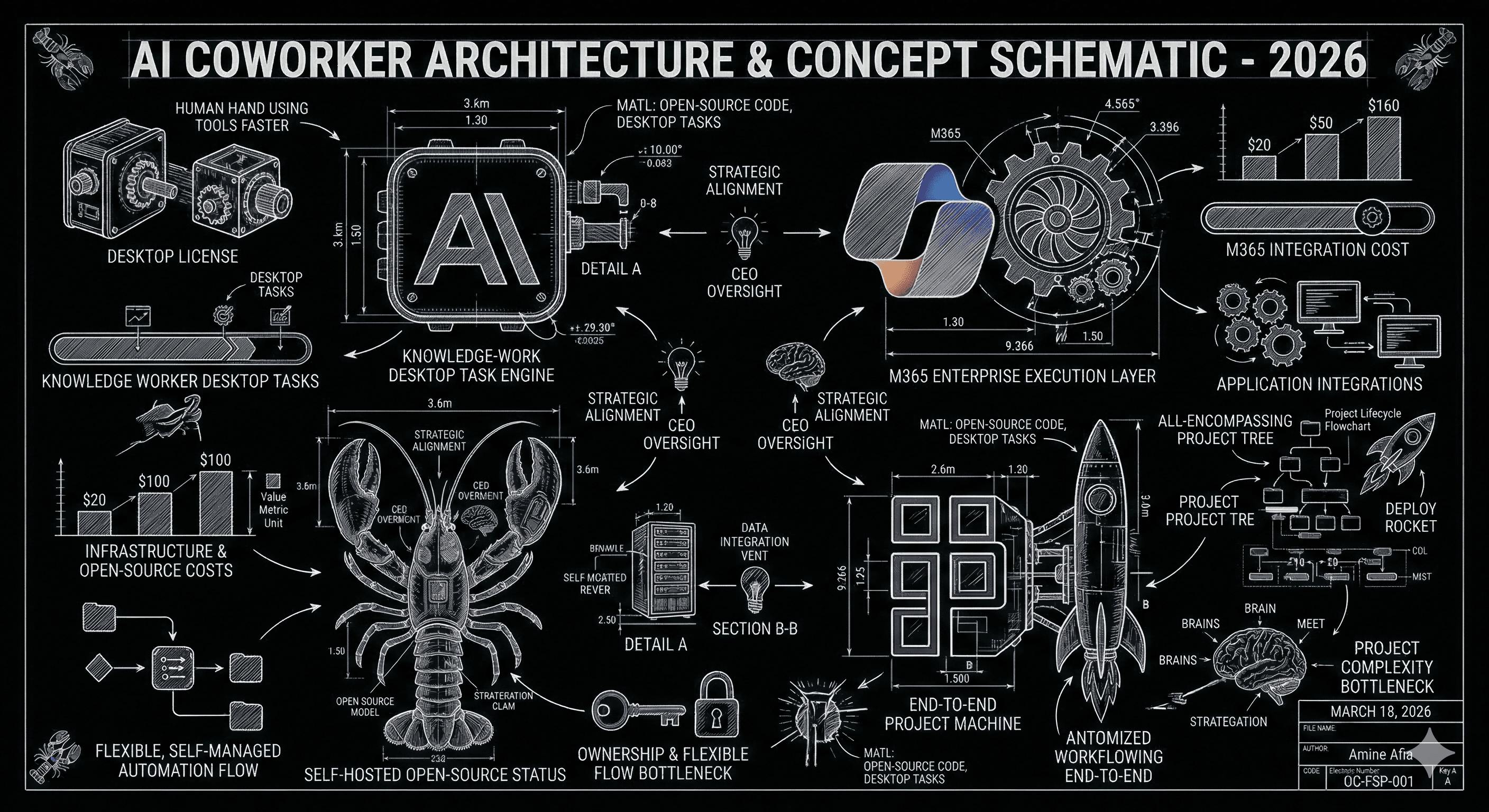
The phrase "AI coworker" is getting overloaded. Claude Cowork, Copilot Cowork, OpenClaw, and Perplexity Computer all promise to do more than answer questions, but they are not competing from the same starting point. Claude Cowork is a desktop task runner for knowledge work. Microsoft's Copilot Cowork is an enterprise execution layer inside Microsoft 365. OpenClaw is the open-source ownership play, you run the assistant yourself across the channels you already use. Perplexity Computer is the end-to-end project machine, positioned to research, design, code, deploy, and manage a result, not just draft a paragraph. If you treat these four as interchangeable, you will almost certainly buy the wrong thing.
This comparison is grounded in the official Anthropic, Microsoft, OpenClaw, and Perplexity launch and help materials. The goal is simple: match the product to the bottleneck it is actually built to solve.
The Short Version: Four Products, Four Different Jobs
Claude Cowork is the desktop-operator choice. Copilot Cowork is the Microsoft-365 execution choice. OpenClaw is the ownership and channel-flexibility choice. Perplexity Computer is the finished-deliverable choice.
| Product | Practical Starting Cost | Best For | Rollout Status | Main Constraint |
|---|---|---|---|---|
| Claude Cowork | Starts at $20/month for Pro; heavier users likely look at Max ($100 or $200) or Team pricing | Personal knowledge work, local files, long-running desktop tasks | Research preview for paid Claude plans on desktop | Desktop only, app must stay open, and not for regulated workloads |
| Copilot Cowork | Tied to Microsoft 365 Copilot licensing, currently about $18 to $30 per user/month plus qualifying Microsoft 365 plan | Enterprise work delegated inside Microsoft 365 | Research Preview, broader Frontier program access announced for late March 2026 | Best only if your company already runs on Microsoft 365 |
| OpenClaw | Software is MIT-licensed and free; you pay for model usage and your own runtime | Ownership, channel coverage, and custom assistant behavior | Available now as open source | You own setup, operations, and quality control |
| Perplexity Computer | Pro starts at $20 with limited create-files access; Max is $200/month for highest access and newest features | Research-heavy projects that need packaged outputs fast | Launched February 25, 2026 | Best results skew toward power users, not casual seat deployment |
Key Takeaway
Copilot Cowork is the corporate operations choice, Claude Cowork is the premium solo operator choice, OpenClaw is the ownership choice, and Perplexity Computer is the project-output choice. The right pick depends more on where the work lives than on which model brand sounds smartest.
The Hidden Difference: Personal Leverage, Shared System, Or Owned Infrastructure
Claude Cowork and Perplexity Computer are leverage multipliers for a high-agency individual. They help one founder, analyst, operator, or PM get more done fast, which is why their strongest stories are research, spreadsheets, decks, dashboards, and packaged outputs.
Copilot Cowork assumes the system of record already lives inside Microsoft 365, so the real value is tenant context, permissions, app-native editing, and governance. OpenClaw starts from the opposite end: not the best personal desktop worker, but an assistant you own, place inside channels like Telegram, Slack, or Teams, and adapt over time. For getclaw's ICP, that is a category difference, not a feature difference.
What Is The Real Difference Between These Four Products?
The fastest way to understand the difference is to look at what their launch materials emphasize.
Anthropic's Cowork materials frame the product as Claude-style deep thinking for non-coders. The launch materials emphasize research synthesis, document creation, data extraction, local-file access, polished spreadsheets and decks, and scheduled tasks on your machine. That is a desktop worker for an operator, not an enterprise control plane.
Microsoft's Copilot Cowork launch reads like enterprise delegation: calendar cleanup, meeting packets, company research with citations, and launch plans with owners and milestones. The point is not a clever assistant. The point is work moving inside Outlook, Teams, Excel, files, and approvals.
Perplexity's launch framing is broader still. The official description says Perplexity Computer can research, design, code, deploy, and manage a project end-to-end. OpenClaw sits at the other end of the spectrum: not a glossy demo promise, but a control promise, because it runs on your devices and answers in channels you already use.
What This Saves You In Real Dollars
Founders do not buy AI seats because the demo felt futuristic. They buy them because it saves expensive time. Use a simple assumption: your time, or your most leveraged operator's time, costs $100 per hour loaded. Under that assumption, a $20 monthly tool breaks even after 12 minutes saved in a month. A $30 tool breaks even after 18 minutes. A $200 tool breaks even after two hours.
This is why pricing needs context. Perplexity Max sounds expensive until it replaces four hours of weekly market research. OpenClaw sounds cheap until nobody owns setup quality. Claude Pro sounds trivial until your heaviest users need Max. Copilot looks straightforward until you remember it assumes Microsoft 365 is already your operating system for work.
| Product | Reasonable Monthly Cost To Model | Minutes Needed To Break Even At $100/Hour | Most Likely Weekly Savings If It Fits |
|---|---|---|---|
| Claude Cowork | $20 to $100 per user | 12 to 60 minutes | 2 to 5 hours for research, file cleanup, decks, and recurring desktop tasks |
| Copilot Cowork | $18 to $30 per user, plus existing Microsoft 365 licensing | 11 to 18 minutes | 2 to 6 hours for coordination work already trapped in Outlook, Teams, Excel, and files |
| OpenClaw | $50 to $200 equivalent in model and runtime costs for an active solo deployment | 30 to 120 minutes | 5 to 15 hours once a repeatable assistant workflow is dialed in |
| Perplexity Computer | $20 Pro for limited access, $200 Max for highest access | 12 to 120 minutes | 3 to 8 hours for research, packaged analysis, dashboards, and first-draft apps |
Every one of these is a bargain if it removes a recurring weekly bottleneck, and a waste if it gets used only for novelty.
Where Claude Cowork Wins, And Where It Doesn't
Claude Cowork wins when one knowledgeable person wants to hand off a complex task, stay in the loop, and receive a polished output on their own computer. Anthropic explicitly says Cowork runs on your computer, can read and write local files, uses sub-agents in parallel, and can create scheduled tasks. That is a strong package for finance, strategy, operations, research, and executive support work.
The tradeoff is operational, not intellectual. Cowork only runs in the desktop app, the app must remain open, and Anthropic says Cowork activity is not captured in Audit Logs, Compliance API, or Data Exports. Anthropic also says teams should not use it for regulated workloads. For a founder or operator, that may be fine. For a bank or healthcare org, that line changes the entire buying decision.
Where Copilot Cowork Wins, And Where It Doesn't
Copilot Cowork wins when the real problem is not generating content, but coordinating business work across Microsoft 365. Microsoft's launch post is very clear here: Cowork turns intent into a plan, keeps the work moving in the background, checks in for clarification, and asks for approval before it applies changes. If your teams already run on Outlook, Teams, Excel, and SharePoint, that native context is a serious advantage.
The obvious downside is ecosystem gravity. Copilot Cowork is not the best choice if your company is not already deep in Microsoft. It is also still in Research Preview, which means you are buying into roadmap confidence as much as current production capability. If you want to move faster than a preview program allows, this may not be your first practical deployment.
Where Perplexity Computer Wins, And Where It Doesn't
Perplexity Computer wins when the finished artifact is the KPI. Perplexity is positioning it as the tool that can go from research to design to code to deployment without forcing you to stitch together five separate tools. That is a very compelling value proposition for startup founders, agency leads, growth teams, and analysts who live in briefs, charts, spreadsheets, and internal tools.
The constraint is economic and organizational. If your team only needs a few deep projects per month, Pro may be enough. If you want Perplexity as a serious daily work surface, Max is the clearer fit, and that jumps the price materially. This is why Perplexity Computer is usually best for a handful of high-leverage operators first, not an all-hands rollout on day one.
Where OpenClaw Wins, And Where It Doesn't
OpenClaw wins when your team cares about control more than convenience. Because it is MIT-licensed software you run yourself, you avoid the usual lock-in around proprietary agent behavior and can place the assistant inside channels you already use. The downside is obvious: you own setup quality, model selection, guardrails, and monitoring. If you want the business case for that trade, our OpenClaw primer is the right companion read.
Which One Fits A Startup Founder Best?
Start with the bottleneck. If it is research and packaged analysis, start with Perplexity Computer. If it is messy desktop work and recurring personal tasks, start with Claude Cowork. If your company already runs on Microsoft and needs secure shared execution, start with Copilot Cowork. If you want an assistant inside operational channels or customer-facing workflows, OpenClaw is the best strategic fit.
The Decision Rule I Would Use
- Choose Claude Cowork if one person needs a premium desktop operator for research, decks, spreadsheets, files, and scheduled personal workflows.
- Choose Copilot Cowork if the work already lives in Microsoft 365 and governance, approvals, and tenant context matter more than raw flexibility.
- Choose Perplexity Computer if you want the fastest path from question to deliverable, especially for research-heavy projects and high-leverage strategic work.
- Choose OpenClaw if you want to own the assistant, run it where your team already talks, and avoid long-term platform lock-in.
If you are still comparing platform economics more broadly, read our digital coworker cost breakdown and our platform comparison. If model choice is still confusing, the Claude vs GPT guide is the faster way to sort the tradeoffs.
Your Next Step
Do not give these tools a vague one-hour beauty contest. Give each one the same recurring task that already costs your team real money: weekly competitor research, meeting packet prep, file organization, launch-brief creation, or cross-channel assistant work. Track three numbers for seven days: minutes saved, quality of the first usable output, and amount of cleanup required before the work could actually be used.
If OpenClaw is on your shortlist, start with the getting started docs. If you are evaluating the commercial tools first, use the task-based test above and let the workflow decide. The best AI coworker is not the one with the loudest launch. It is the one that removes the same expensive bottleneck every week.
Related posts
Deploy your AI assistant
Create an autonomous AI assistant in minutes.